
At the Real Estate & Construction Forum in September, a leasing director repeated a figure to make sure it was heard: 34 permits for a single project related to an office building. In other words, it’s not the construction that’s the bottleneck - it’s the paperwork.
Some of that paperwork belongs to the government and isn’t easily changed. But another part has nothing to do with the government at all. The contract with the client, an employee’s addendum, the homeowners’ association minutes… there, the delay doesn’t come from a permit, but from a process: to the printer, to the signer, to the scanner, to the post office, and so on.
What Changed Two Years Ago
On October 8, 2024, Law 214/2024 on the use of electronic signatures went into effect. Until then, in practice, only the qualified signature - the one based on a certificate issued by an accredited provider-unquestionably served as a substitute for a handwritten signature.
The law broadened the scope. A simple electronic signature has the same legal effect as a handwritten signature in three situations: when the value of the document is less than half the gross minimum wage, when the party to whom the document is addressed acknowledges it-including by fulfilling the obligations set forth therein, and when two professionals have expressly agreed, through a document signed by hand or with a qualified electronic signature, to grant it this effect. Furthermore, documents in which one of the parties is a professional may be evidenced by any type of electronic signature.
However, this equivalence has its limits. It applies where the written form is required only as evidence (ad probationem). Where the law requires the written form for the document to be valid (ad validitatem), an advanced or qualified signature is required.
The law does not treat a simple signature as equivalent in all cases. For individual employment contracts, the rule comes from elsewhere: The Labor Code (Art. 16, amended by Law 208/2021) permits the electronic signing of the contract and any addenda only with an advanced or qualified signature, not a simple one. This distinction matters when you choose which one to use.
Three types of signatures, one account
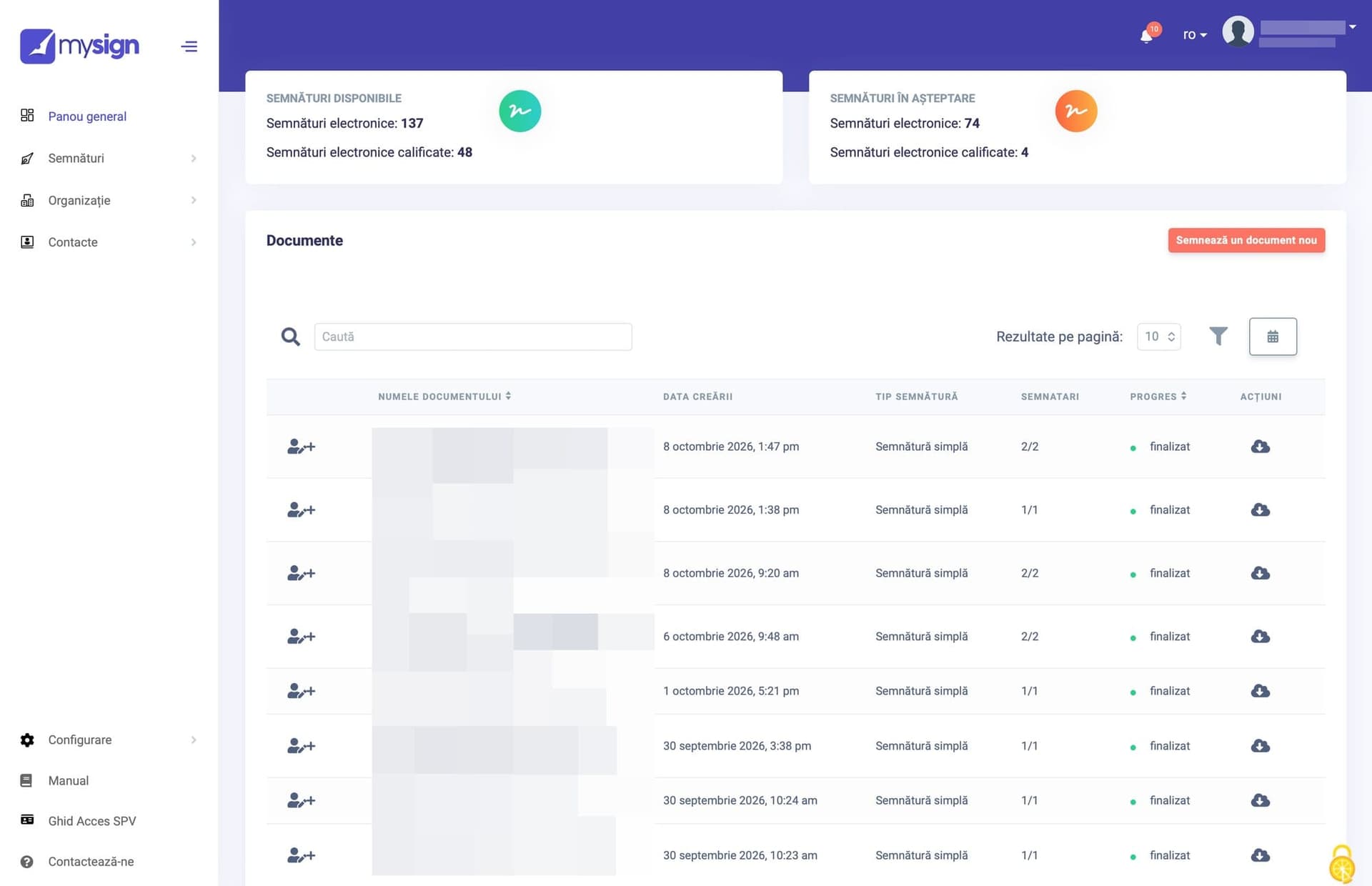
Mysign offers three different services, all within the same account. A simple electronic signature costs between 0.25 and 0.28 euros, depending on volume, and does not require a digital certificate. For each signed document, the platform applies a qualified electronic seal that indicates whether the document has been altered after signing.
The qualified signature is based on a cloud-based digital certificate, valid for three years, costing 22 euros, plus 0.30 euros per signature. This is the option for employment contracts, procurement, and high-stakes documents. However, it does not work with ANAF.
For interactions with ANAF, there is a third product: a qualified certificate in the cloud, valid for three years, costing 77 euros, which allows the company to access the Virtual Private Space and sign in Adobe (includes 50 signatures on the Mysign platform).
All prices are exclusive of VAT; the qualified certificates are issued by InfoCert, an Italian provider on the European Union’s trusted list, and the holder’s identity is verified via a video call with a live operator.
Here’s a little "twist," an interesting detail: the signature package belongs to the organization, not to an individual user. Therefore, there’s no need to estimate in advance how many signatures each department will need, and the platform places no limits on the number of documents or users.
Employment Contracts and Leave Requests
When it comes to hiring, the distinction is clear. Employment contracts and addenda require an advanced or qualified signature; in Mysign, this means the qualified version. Leave requests, their approvals, or training records can be signed with a simple signature if internal regulations or the collective bargaining agreement provide for this.

Signing within the software you already use
A company that uses management, human resources, or sales software on a daily basis doesn’t want yet another website open in a separate tab. It wants the document to be signed right where it was generated.
Mysign offers API integration for both simple and qualified signatures. A contract-generated in a CRM, for example-is sent for signing directly from the CRM and returns signed to the same place; no other tool or platform is needed. For organizations with more complex workflows, the platform offers a solution tailored to their processes, with a dedicated consultant. Signing is no longer a place you go to. It becomes a feature of the software you’re already using.
Government paperwork
With the government, the rules are stricter. A company registers in ANAF’s Virtual Private Space exclusively with a qualified certificate issued in the name of the administrator, the accountant, or an authorized representative.
Not every company needs a new certificate. An authorized accountant can work in the Virtual Private Space (SPV) using their own certificate, and in REGES-ONLINE (the employee registry), employers can also log in using their ROeID digital identity. Having your own certificate matters for those who sign frequently, in their own name.
What Mysign emphasizes here isn’t the certificate, but the person. Identification is done via video with an operator, and the team assists with activation and the first steps.
"An entrepreneur should spend their time innovating or focusing on their clients, not searching for the token in a drawer the day before the deadline," says Dan Mașca, CEO of REEA.
What Remains on Paper
The 34 permits don’t disappear with an electronic signature. The unified platform promised by the Urban Planning Code has a five-year deadline, and until then, permit applications will, for the most part, follow the old process.
Government paperwork remains the government’s business.
However, paperwork between people no longer must leave the office.
Advertorial produced for REEA, the company that develops the Mysign platform. The images were provided by REEA: photos from the Mysign campaign, a collage and a screenshot of the platform. Prices are those listed by Mysign at the time of publication.
Translated from the Romanian original by a human translator.